Evidence hub · Janoshik Analytical
Lab results
Every batch published here was tested by Janoshik Analytical. Each report carries a task number and a verification key, so you can open the laboratory’s own copy of the report and compare it with the copy shown here.
- Batches
- 5
- Janoshik reports
- 14
- Newest report
Published batches
Newest first. Purity is the HPLC figure from each batch’s purity report; the other rows are the further tests published for that batch.
Showing 5 of 5 batches.
-
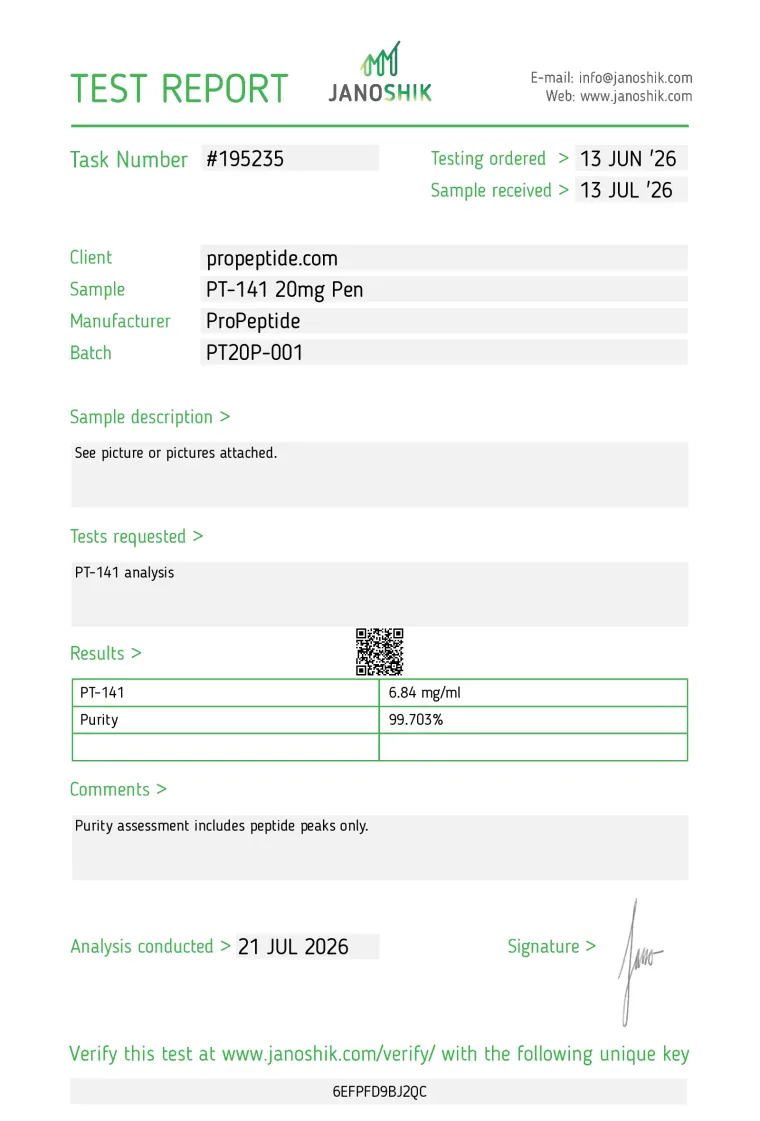
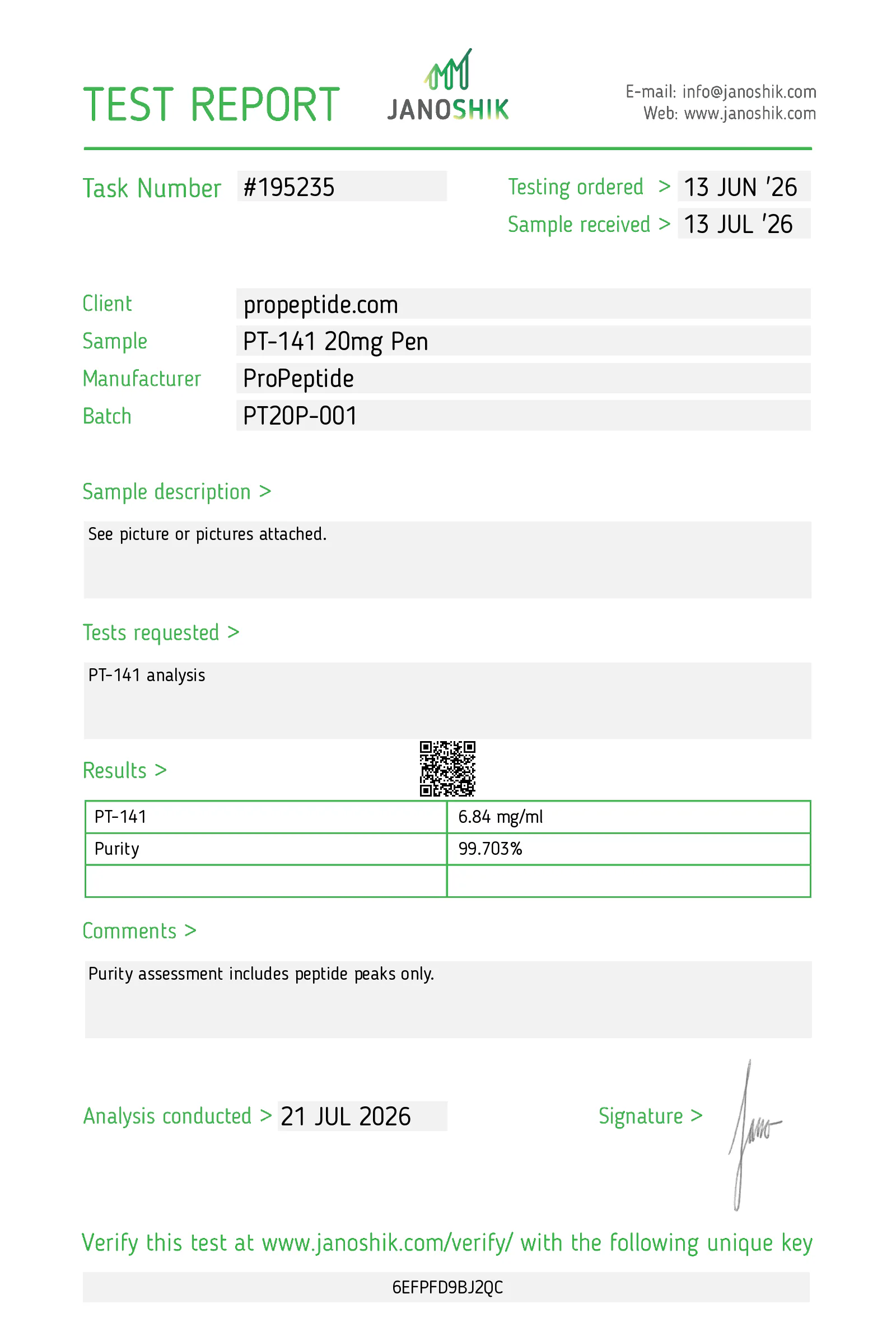
99.703%HPLC purity · 1 report
PT20P-001 test results Test Result Task HPLC purity & concentration 99.703% · 6.84 mg/mL #195235 -
RT-40-V-001
ProPeptide Retatrutide 40mg Vial
40mg vial (lyophilised)ProPeptideAnalysed 1–16 June 2026
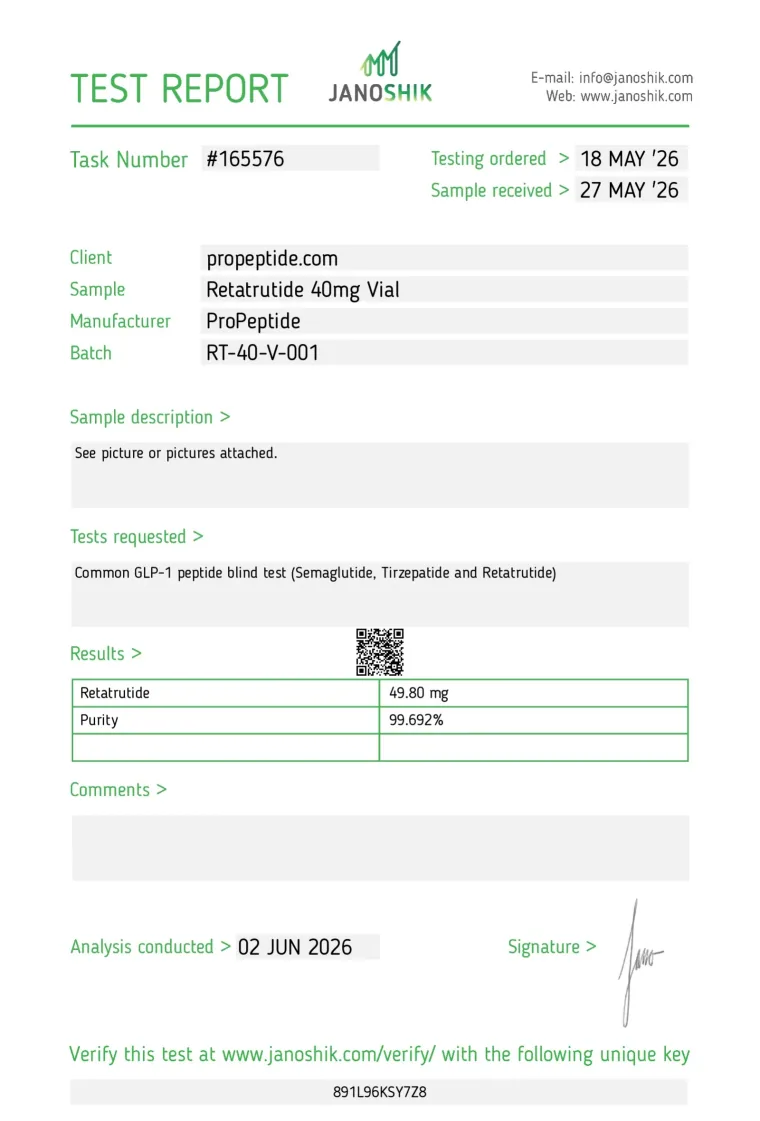
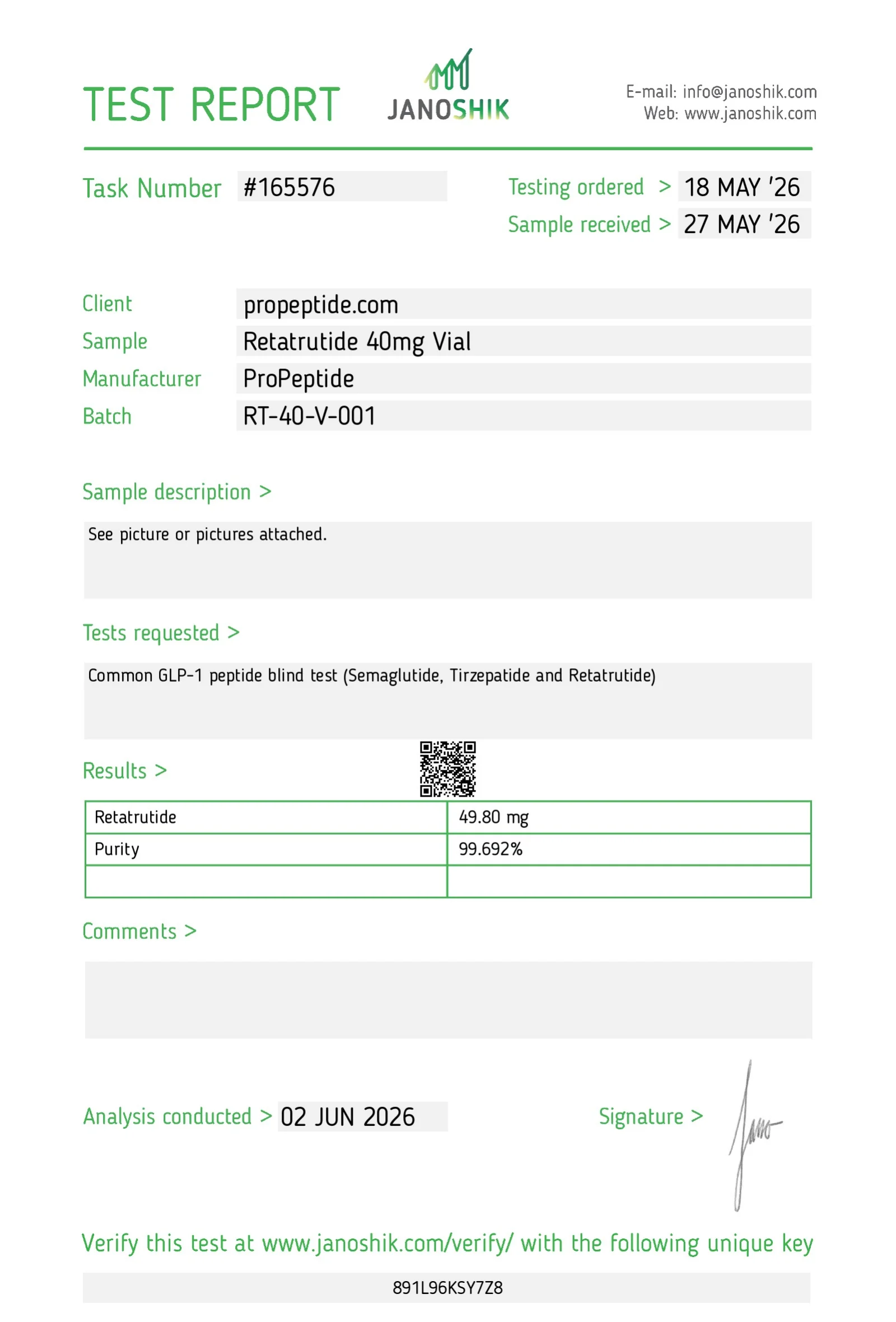
99.692%HPLC purity · 5 reports
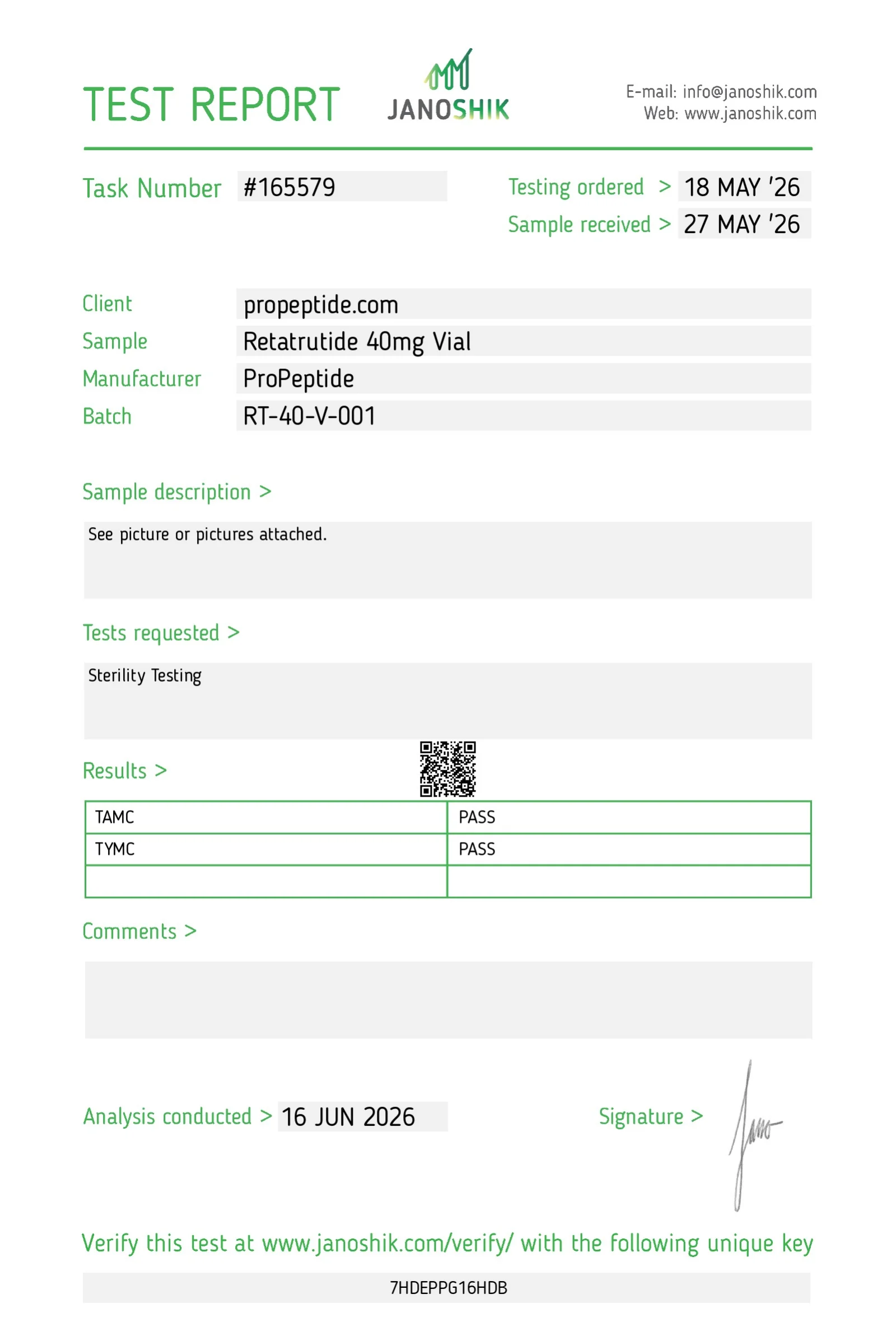
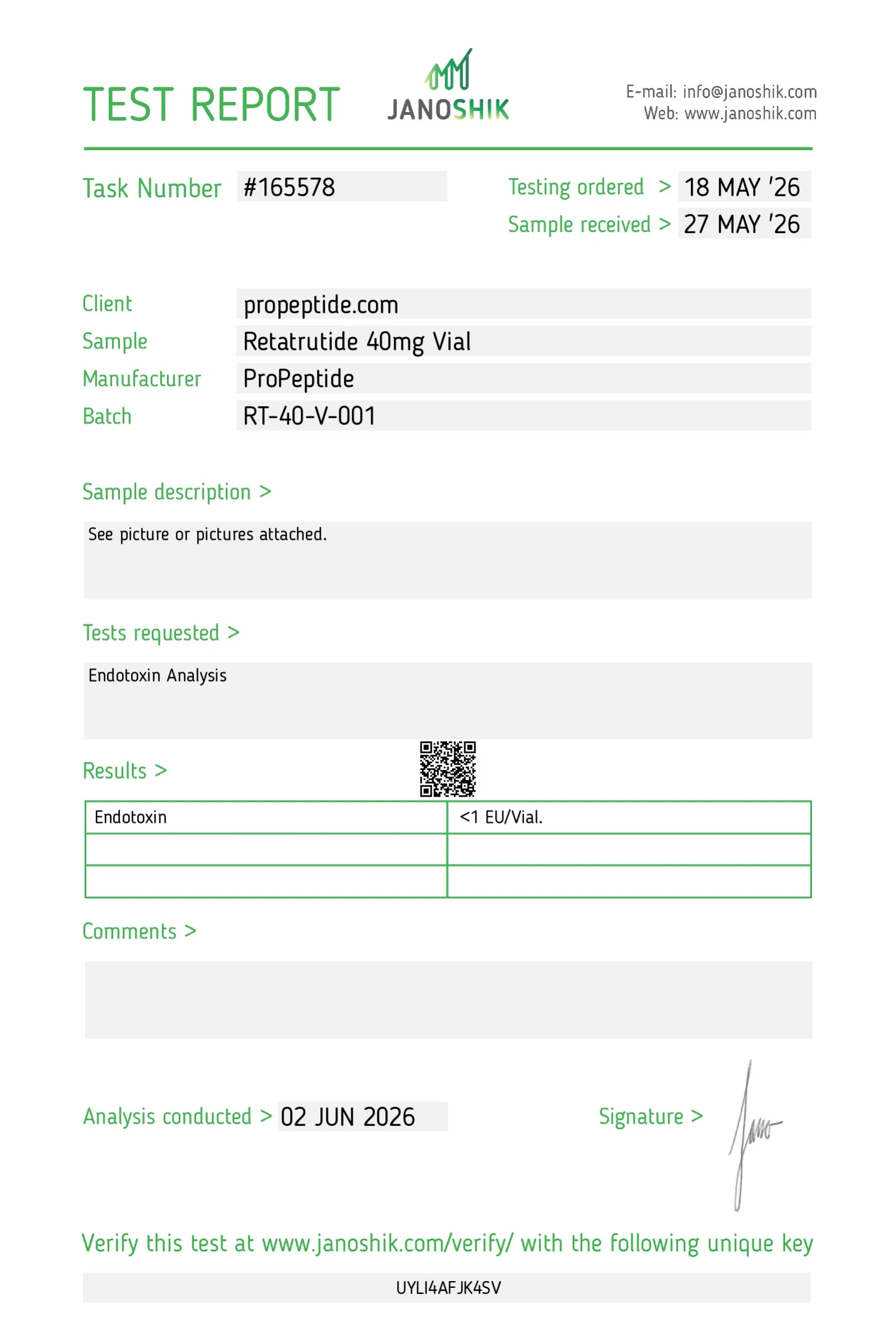
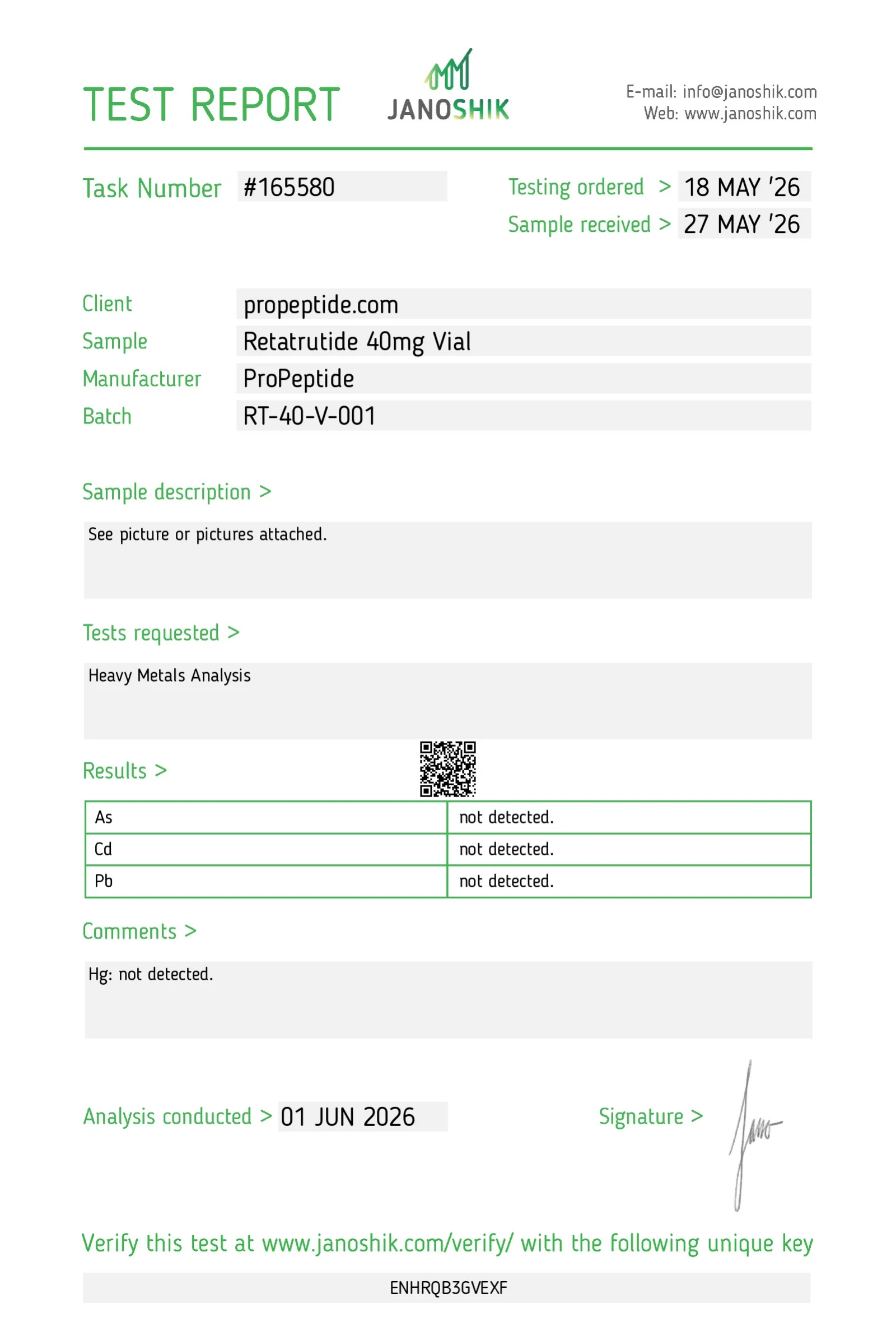
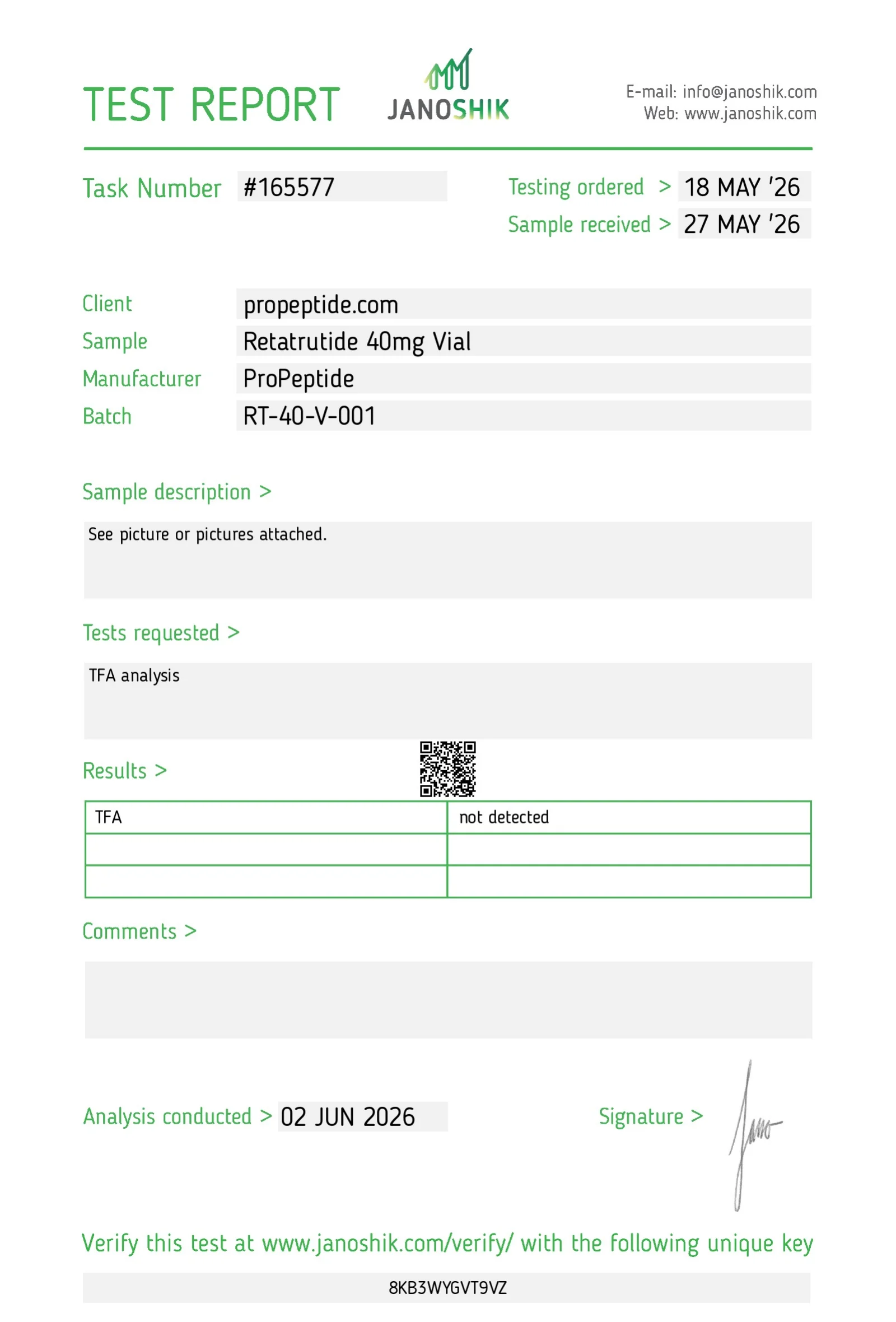
RT-40-V-001 test results Test Result Task HPLC purity & content 99.692% · 49.80 mg #165576 Microbial enumeration (TAMC/TYMC) TAMC pass · TYMC pass #165579 Endotoxin <1 EU/vial #165578 Heavy metals (As, Cd, Pb, Hg) Not detected #165580 TFA Not detected #165577 -
99.741%HPLC purity · 6 reports
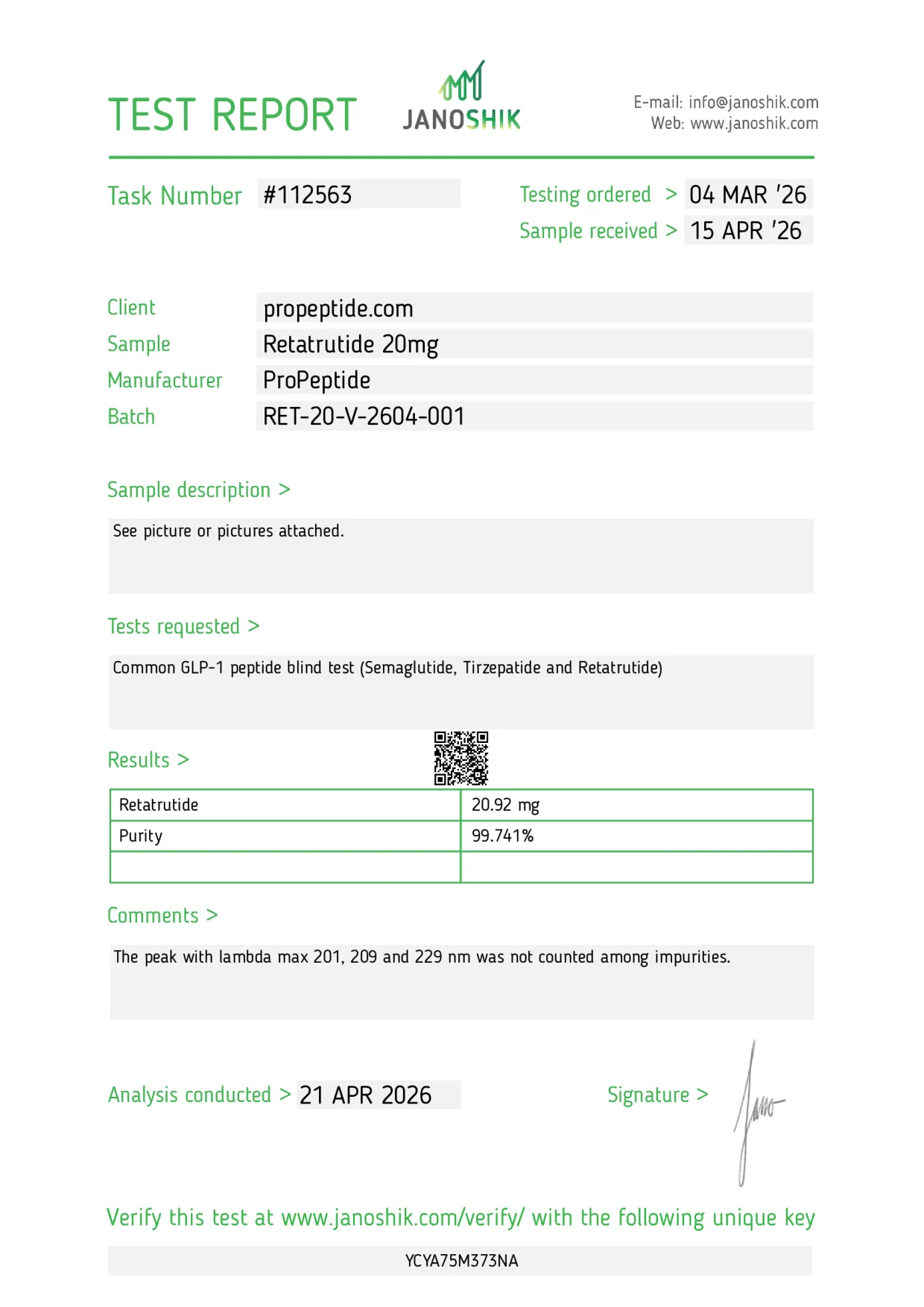
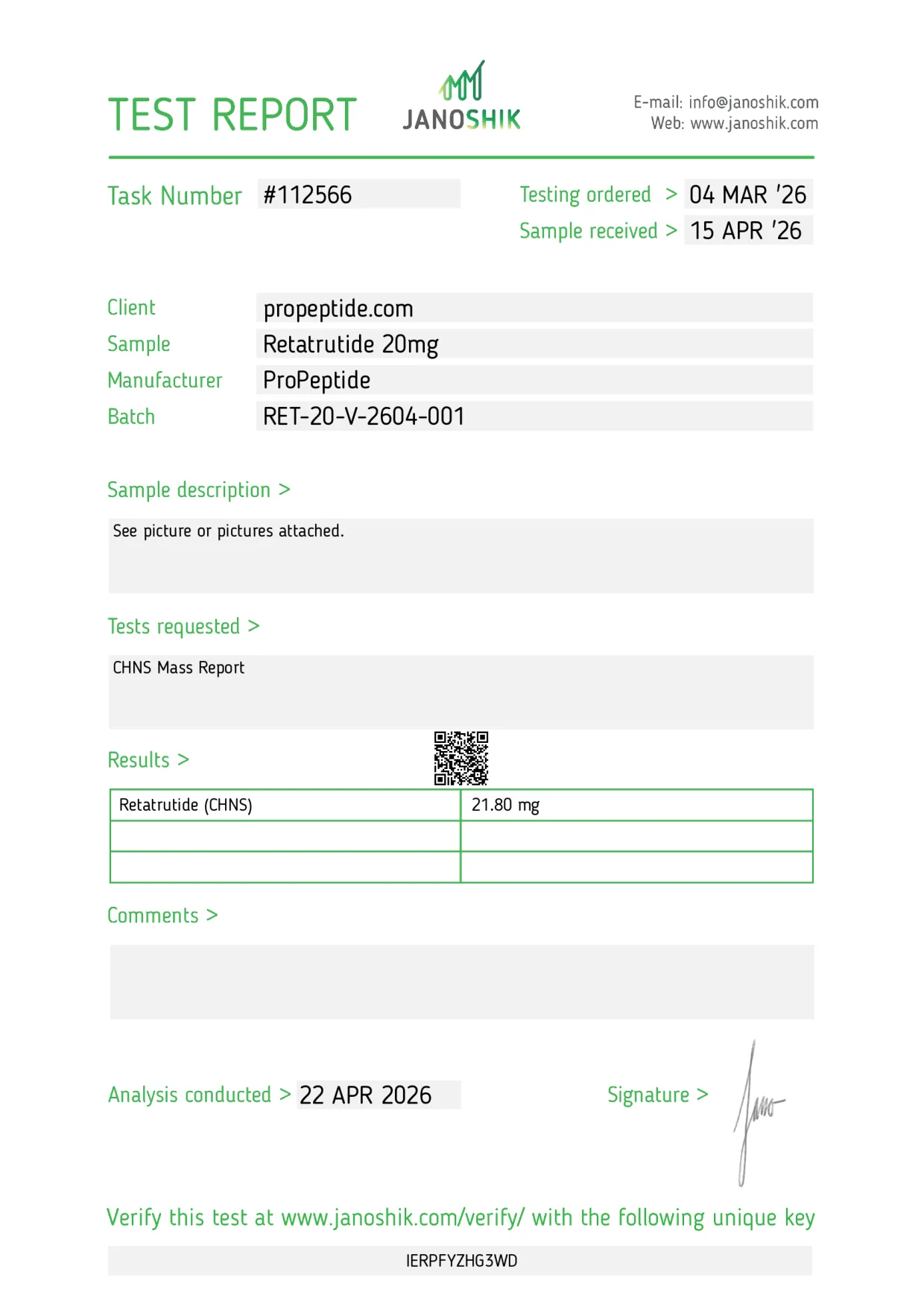
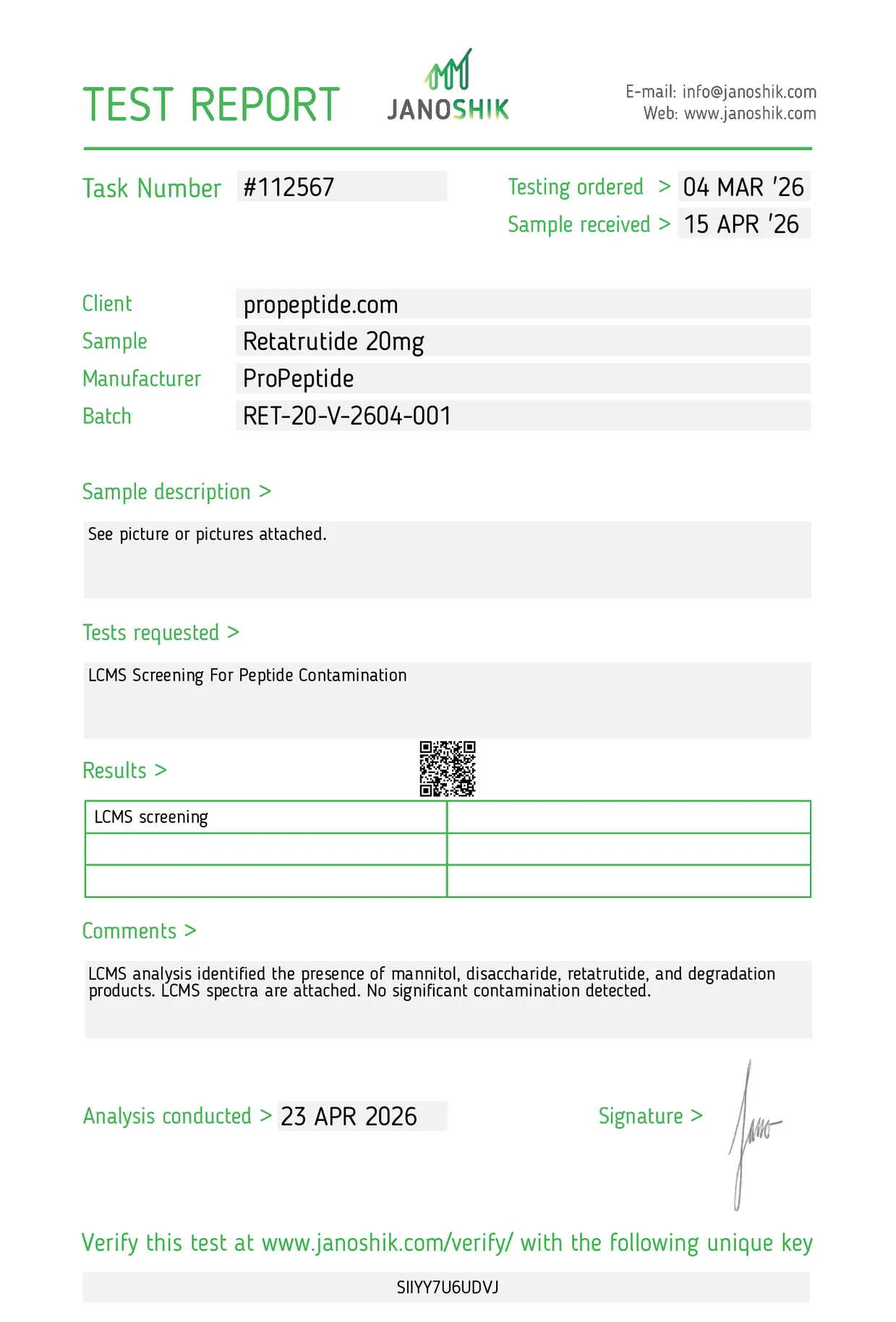
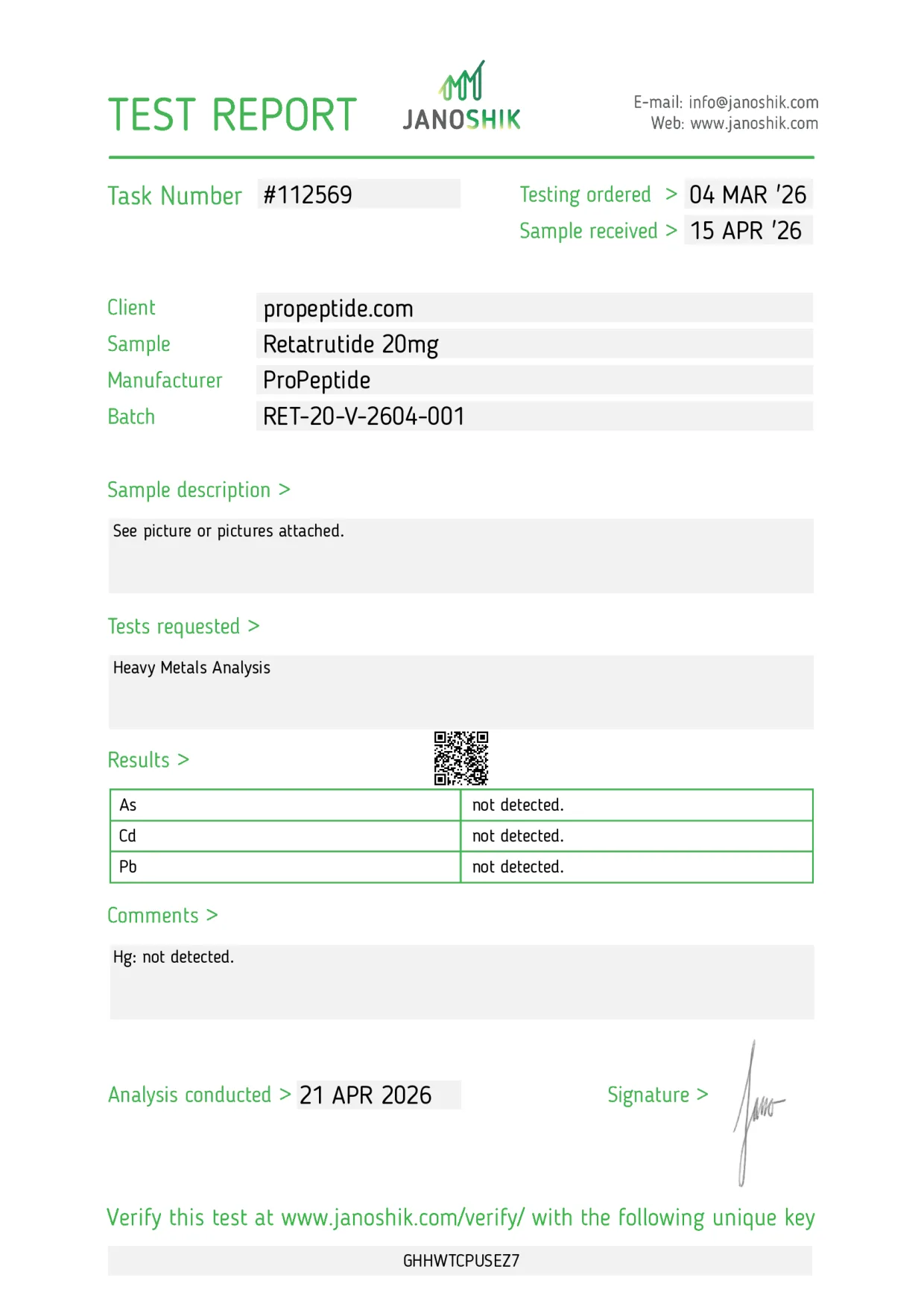
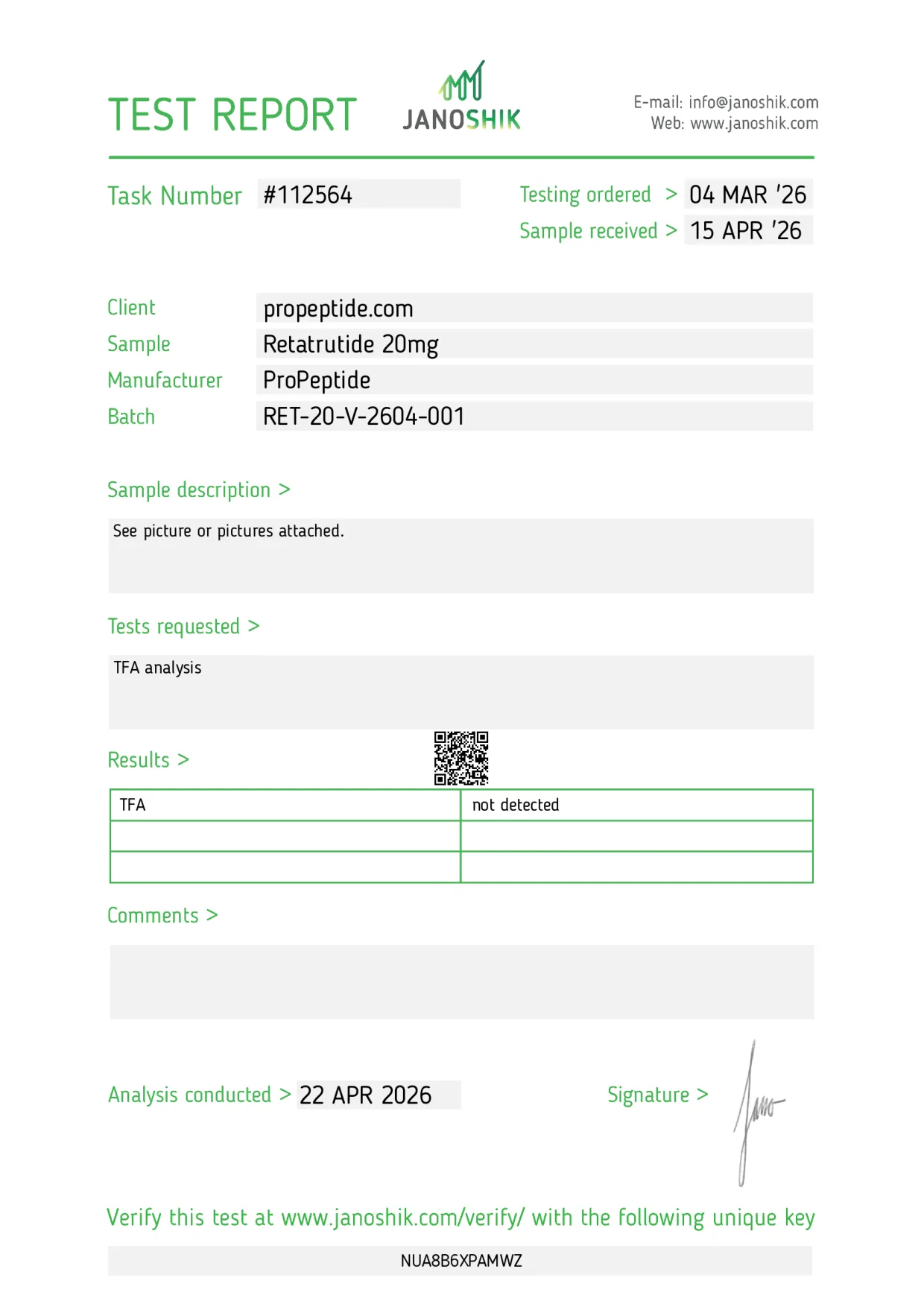
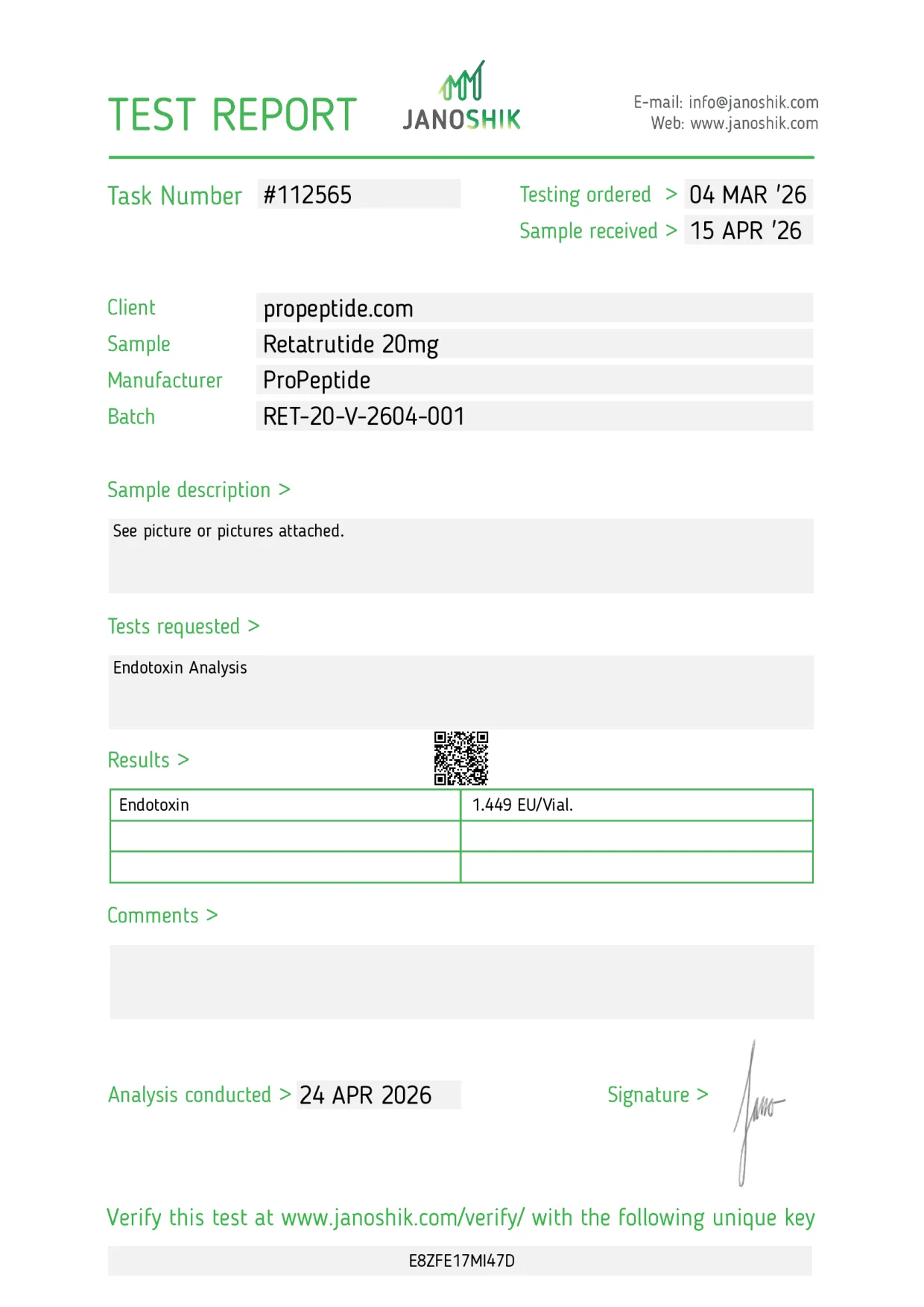
RET-20-V-2604-001 test results Test Result Task HPLC purity & content 99.741% · 20.92 mg #112563 Mass (CHNS) 21.80 mg #112566 LCMS screening No significant contamination detected #112567 Heavy metals (As, Cd, Pb, Hg) Not detected #112569 TFA Not detected #112564 Endotoxin 1.449 EU/vial #112565 -
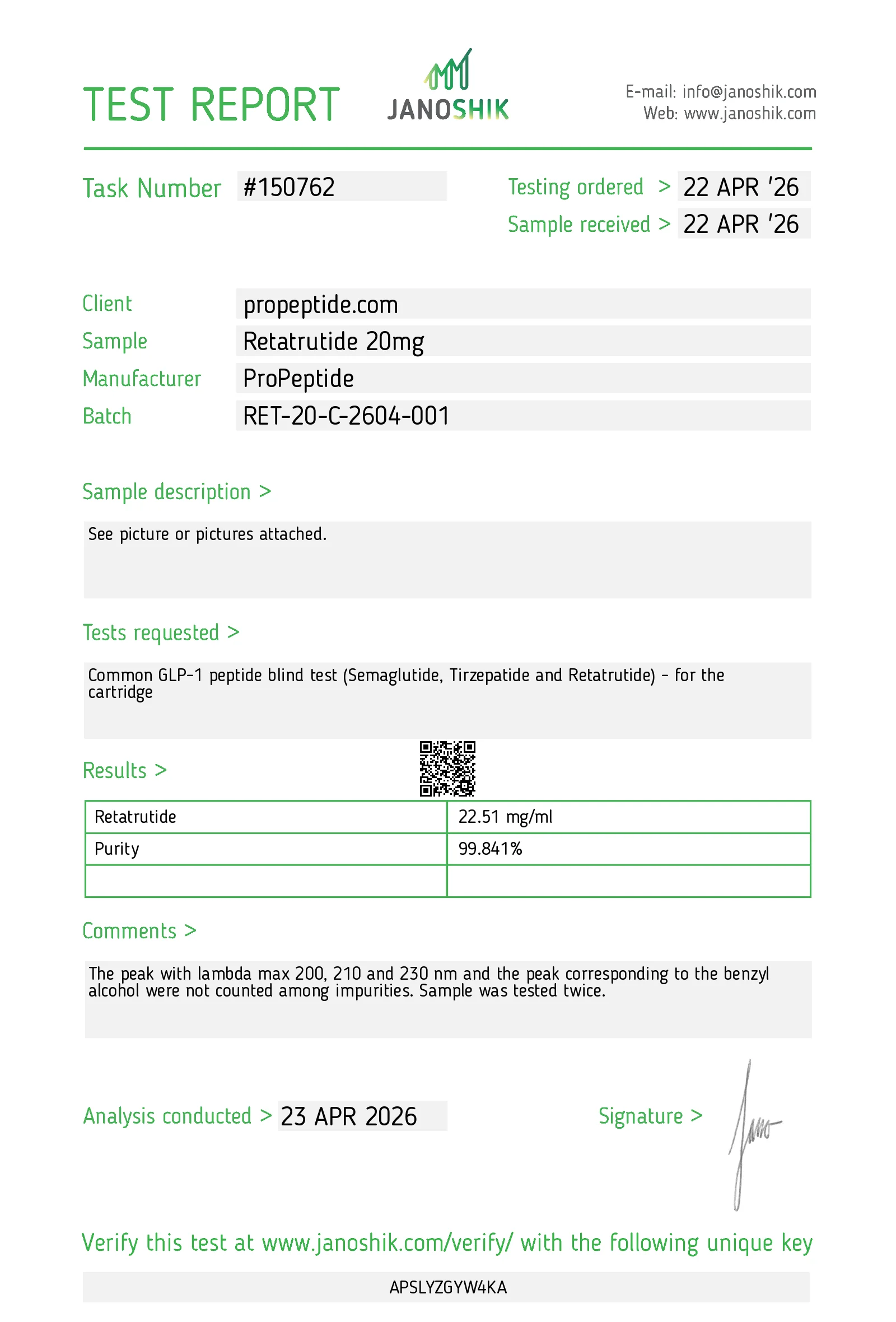
RET-20-C-2604-001
ProPeptide Retatrutide 20mg Pen
20mg pen cartridgeProPeptideAnalysed 23 April 2026
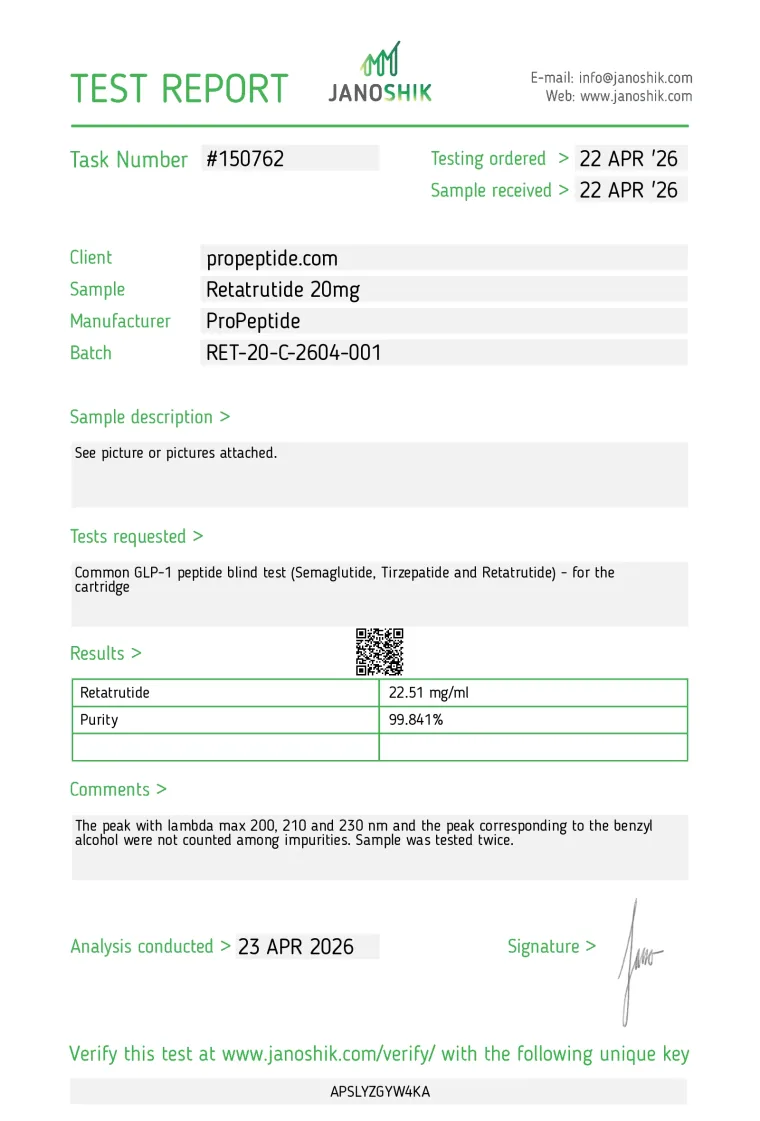
99.841%HPLC purity · 1 report
RET-20-C-2604-001 test results Test Result Task HPLC purity & concentration 99.841% · 22.51 mg/mL #150762 -
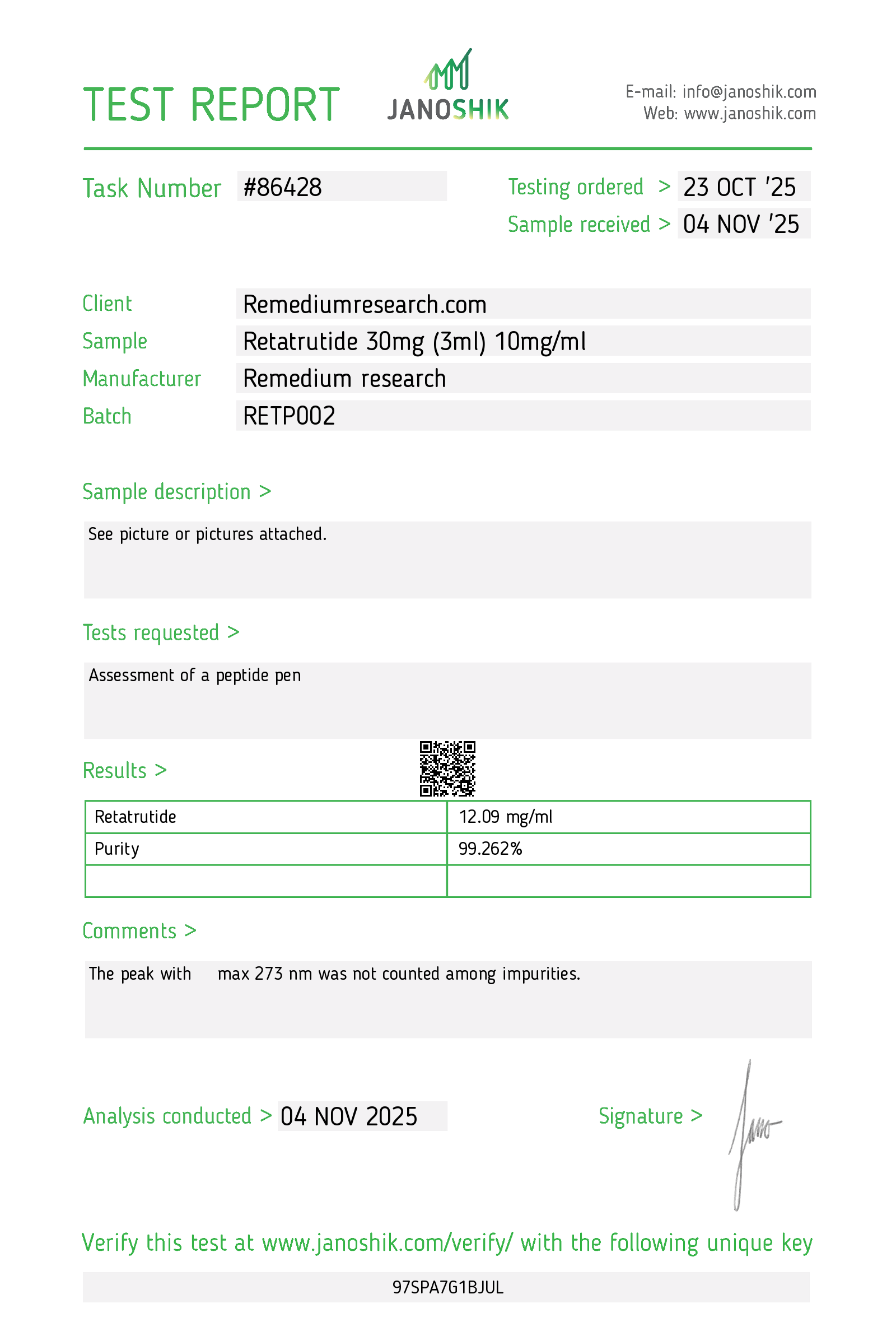
RETP002
Remedium Research Retatrutide 30mg FlexiPen
30mg / 3mL FlexiPenRemedium ResearchAnalysed 4 November 2025
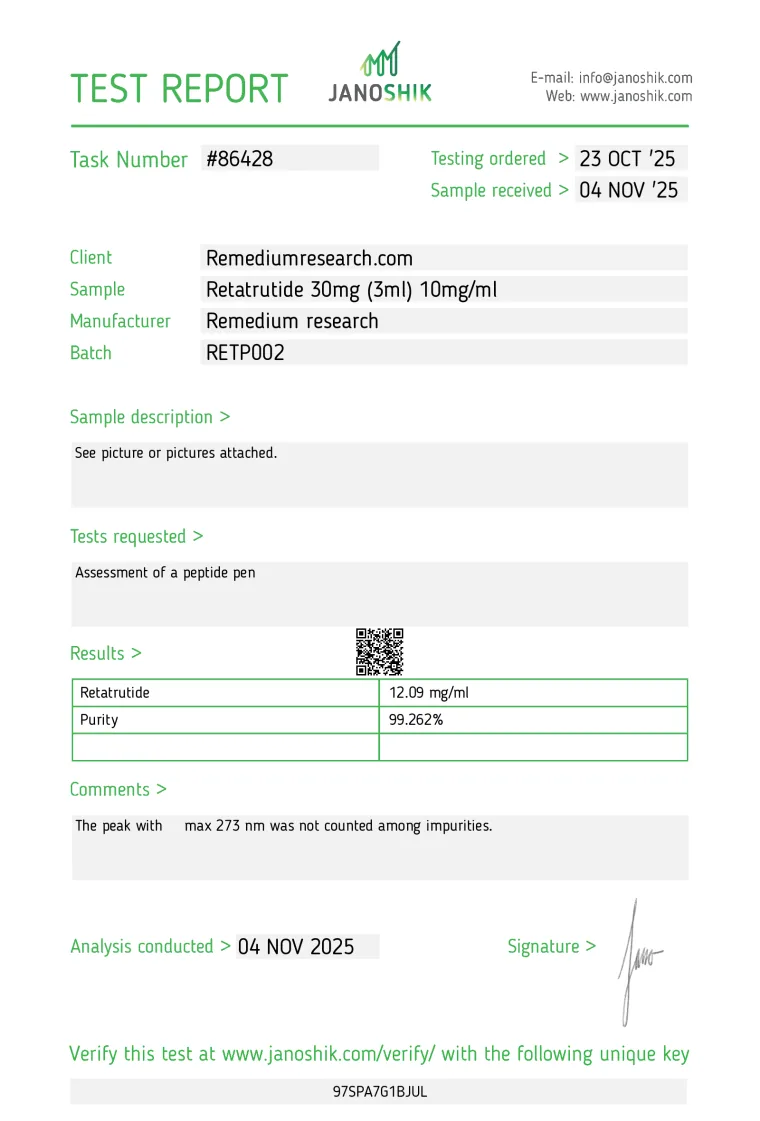
99.262%HPLC purity · 1 report
RETP002 test results Test Result Task HPLC purity & concentration 99.262% · 12.09 mg/mL #86428
How to verify a Janoshik report
Janoshik Analytical issues one report, with one task number and one verification key, for each test.
Find the task and key
Both are printed on the report: the task number at the top, the unique key at the bottom. Each batch page lists them for every report.
Open Janoshik’s page
Use “Verify on Janoshik”, which opens verify.janoshik.com for that task and key, or enter the key at janoshik.com/verification (opens janoshik.com in a new tab).
Compare the details
Check the client, sample, manufacturer, batch, results and analysis date against the copy published here.
Treat a mismatch as a fail
If the laboratory’s copy differs in any field, or the key does not resolve, the report shown here should not be relied on.
For in-vitro laboratory research only. Not for human or veterinary use.